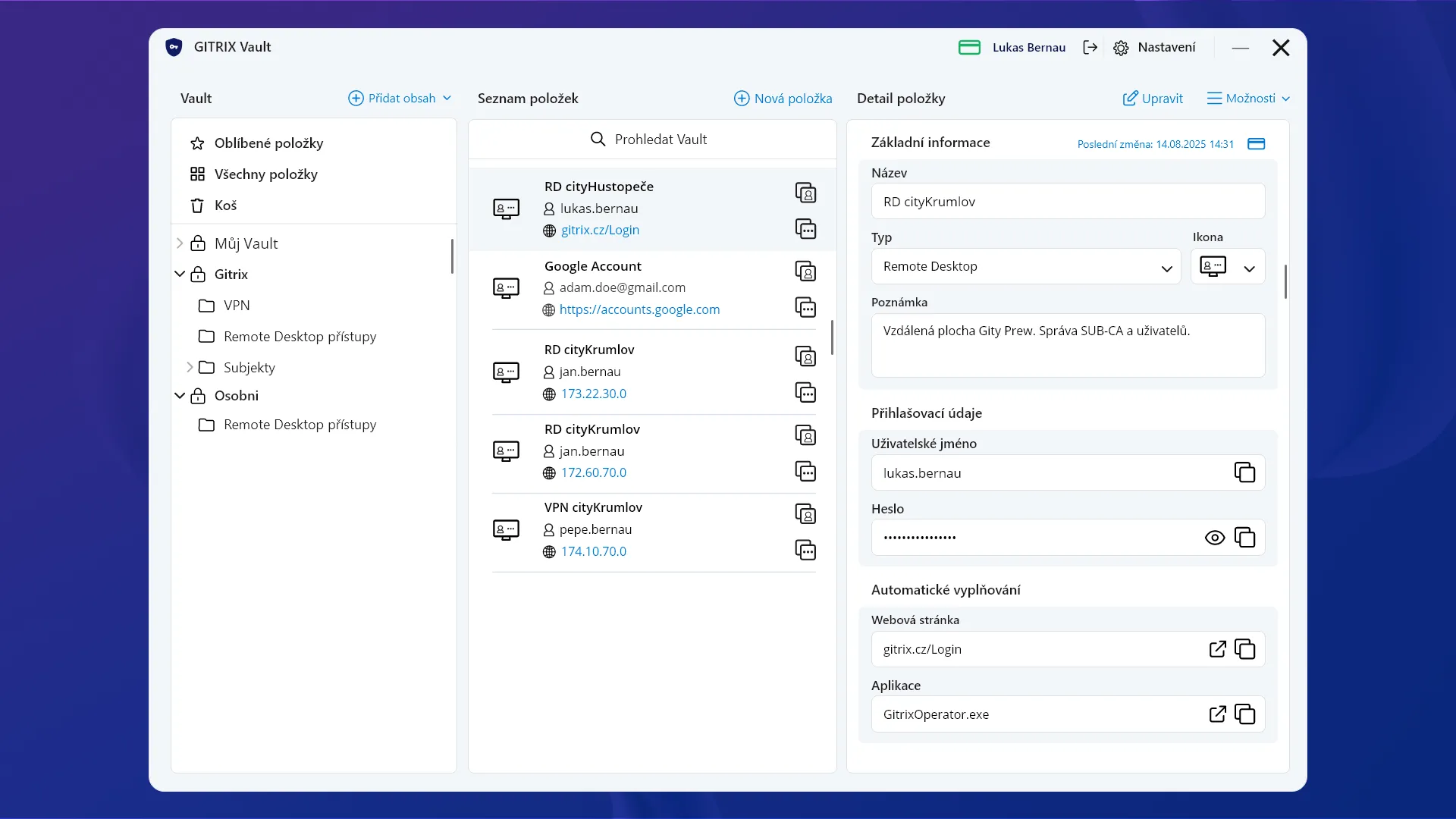
GITRIX Vault: Your Passwords Under Hardware Protection
The GITRIX Vault module provides secure storage and management of passwords directly on hardware devices for maximum protection.
Unlike common password managers, GITRIX Vault utilizes the cryptographic capabilities of your hardware tokens (such as Thales cards, YubiKeys, or Crayonic badges).
Why Choose GITRIX Vault?
- Hardware Encryption: Your passwords are encrypted with a key stored on the hardware device. This means that even if your computer is compromised, an attacker cannot access your passwords without the physical token and its PIN.
- Autofill Security: The browser extension allows for secure and automatic filling of login data, reducing the risk of phishing.
- Safe Collaboration: Securely share passwords with your team. Access is controlled by the GITRIX platform, ensuring only authorized users can view shared secrets.
- Compliance Ready: By using hardware-backed encryption for password management, your organization moves closer to meeting strict security standards required by NIS2 and other regulations.
Take your password security to the next level. With GITRIX Vault, your most sensitive access data is protected by the same hardware that secures your digital identity.
Key Features
Encrypted using AES-256 and 2048 RSA keys
Support for Thales smart cards and USB tokens
Support for encrypted backups
Technical Specifications
Coming Soon
We are actively pushing the GITRIX Vault application forward. In the near future, you can look forward to features that will take your team collaboration to a new level.
We plan to make all features available for your smartphone as well
Team Password Management
Sharing common access credentials among colleagues directly on your internal (on-premise) server.
Automatic Backups
Secure and automatic backup storage directly to the company server.
Secure Secret Sharing
Sending sensitive data or one-time passwords to third parties via a secure link that automatically expires after being read or after a set time.
Native Application Support
Automatic password filling not only in the browser, but also in classic desktop applications.